
Remember the thrill of racing in Forza Horizon 5? The engine’s roar and the rush of pushing your limits? For PC players, mastering the keyboard controls is key to dominating the game.
This guide will cover the details of keyboard controls. We’ll share techniques and strategies to help you play like a pro. You’ll learn how to overcome digital input limits and fine-tune your settings for victory on the keyboard.
Key Takeaways
- Discover the advantages and limitations of using a keyboard in Forza Horizon 5
- Explore techniques for mastering smooth acceleration, braking, and steering with the keyboard
- Understand the impact of digital input on drifting and how to overcome the challenges
- Learn to optimize your keyboard settings for maximum performance and control
- Weigh the pros and cons of keyboard versus controller and explore analog keyboard solutions
Introduction to Keyboard Controls in Forza Horizon 5
For those who prefer using a keyboard, forza horizon 5 keyboard controls might seem tough at first. The game is mainly made for analog controllers. But, with the right skills and settings, keyboard players can still do great.
The game’s design focuses on smooth control with gamepads. Yet, keyboards bring their own set of benefits and challenges. Learning how to use pc game keybindings in Forza Horizon 5 is key to improving your skills.
We’ll look into the details of using a keyboard in the game. You’ll learn how to manage your throttle and brakes, steer precisely, and even drift like a pro. By the end, you’ll know how to use your keyboard to its fullest in Forza Horizon 5.
Mastering Throttle and Brake Control with Keyboard
Driving in Forza Horizon 5 with a keyboard is different from using a controller. Keyboards only give on/off signals, not smooth analog control. This makes it hard to drive smoothly.
Understanding Digital Input Limitations
With a keyboard, you can’t press the throttle or brake gradually like with a controller. You’re either fully on or off. This can cause your car to move suddenly, making it hard to control.
Techniques for Smooth Acceleration and Braking
To improve your keyboard driving, learn how to control the throttle and brakes smoothly. Feathering the throttle by tapping the key helps with slow, controlled starts. Tapping the brake in a controlled way helps avoid losing control when stopping.
Try different techniques and see what works best for you. Watch how your car reacts and adjust your actions. With practice, you’ll drive like a pro in Forza Horizon 5.
“The key to success with a keyboard in Forza Horizon 5 is learning to finesse the controls. It’s not about mashing the throttle and brake, but rather a delicate dance of precise inputs.”
forza horizon 5 keyboard controls
In the world of Forza Horizon 5, the keyboard is a key tool for players. It lets you control your racing in a unique way. The default settings are good, but customizing can make your gameplay better.
Default Key Bindings and Customization Options
Forza Horizon 5 has a wide range of keyboard controls, with 15 different functions for players. The classic W-S combination for throttle and braking, along with A-D for steering, is a fast setup for racing on a keyboard. But, the real power comes from customizing the controls to fit what you like.
You can change the keys, adjust sensitivity, and make a control scheme that boosts your racing skills. With practice, the keyboard can give you a great driving feeling and car control. This lets you quickly adapt and improve your lap times.
The keyboard might not be as precise as a steering wheel, but it still offers a viable and enjoyable driving experience in Forza Horizon 5. With the right setup and practice, you can unlock your full potential and dominate the roads of this exciting racing game.
Some users have reported issues with button mapping and force feedback functionality when using Logitech steering wheels like the G29, G920, and G923. This shows the need for the game developers to keep improving for all players.
Despite this, the keyboard is still a strong choice for Forza Horizon 5 fans. It offers a unique and customizable way to play the game’s tough courses and varied environments. By learning the default settings and using the customization tools, you can elevate your keyboard-based racing experience and make a mark on the leaderboards.
Steering Precision with Keyboard
Getting precise steering in Forza Horizon 5 is key for navigating tricky courses and doing sharp turns. Even though keyboards might seem less precise, you can improve your steering with some tips. Some players switch to controllers for off-road driving and staying in control at high speeds.
Adjusting your steering sensitivity is a big help. Players look for ways to make steering sticks more direct and reduce shaking for better control. Finding the right sensitivity lets you steer smoothly and accurately, which is great for fast corners and precise moves.
Also, try different steering modes like simulation or standard settings. Bugs that affect the game’s visuals might change how you feel the steering, which could affect your driving.
Mastering keyboard steering in Forza Horizon 5 takes practice and tweaking. With these tips, you can improve your driving skills and conquer tough courses with ease. The game is known for its realistic car models, thanks to brake horsepower data.
| Control Method | Steering Precision | Advantages | Disadvantages |
|---|---|---|---|
| Keyboard | Good with proper adjustments |
- Responsive inputs
- Customizable settings
- Digital input limitations
- Potential for twitchiness
| Gamepad | Smooth and natural |
- Analog input for gradual control
- Comfortable for extended play
- Less precise than a wheel
- Limited customization options
| Steering Wheel | Highly precise and immersive |
- Provides more precision for braking and steering compared to using a controller
- Realistic driving experience
- Requires additional setup
- Can be more expensive
Optimizing your keyboard controls in Forza Horizon 5 can greatly improve your driving and gameplay. By trying different settings and techniques, you can make the most of your keyboard and beat the game’s challenges with confidence.
Overcoming Challenges of Drifting on Keyboard
Drifting in Forza Horizon 5 is exciting but tricky on a keyboard. The keyboard’s binary inputs make it hard to balance for smooth drifts. Yet, with the right strategies, you can excel at drifting on your keyboard and improve your racing skills.
Utilizing Handbrake and Weight Transfer
Using the handbrake is key to drifting well on a keyboard. It helps start and keep drifts precise. Also, shifting your car’s weight with throttle and steering is vital for control and smooth drifts.
Try using rear-wheel-drive (RWD) cars for drifting in Forza Horizon 5, as they’re better for it. The game’s Drift Zones are great for practicing your drifting skills with different cars and conditions.
Drifting takes practice and patience. Keep working on using the handbrake and managing weight transfer. Over time, you’ll get the skills needed for tough drifting challenges on your keyboard.
With hard work and trying new things, you can beat the drifting challenges on a keyboard in Forza Horizon 5. You’ll become a drifting master.
Optimizing Keyboard Settings for Racing
To get the most out of your keyboard in Forza Horizon 5, you need to tweak your settings. This guide will show you how to adjust sensitivity and deadzones. These settings are key to improving your driving skills.
Adjusting Sensitivity and Deadzones
Keyboard sensitivity is crucial in Forza Horizon 5. It affects how your inputs work. If it’s too high, your car might be hard to control at fast speeds. If it’s too low, you’ll struggle with precise movements.
Deadzones are the areas where your input doesn’t affect the game. Adjusting them helps avoid unwanted movements, like drifting when not steering. Finding the right balance between sensitivity and deadzones gives you a smooth driving experience that suits your style.
| Keyboard Model | Sensitivity Range | Deadzone Settings |
|---|---|---|
| Logitech G513 | 5-10 | 5-15% |
| Corsair K70 RGB MK.2 | 7-12 | 8-18% |
| Razer BlackWidow V3 | 6-11 | 6-16% |
The best settings depend on your preferences and keyboard type. Try different sensitivity and deadzone combinations to find what works best for you.
“The right keyboard settings can make all the difference in your Forza Horizon 5 driving experience. Take the time to find the perfect balance and unlock your true potential behind the wheel.”
Finding the right balance of sensitivity and deadzones is key to success with keyboard controls in Forza Horizon 5. By optimizing these settings, you’ll drive with precision and confidence.
- Start with a moderate sensitivity setting and adjust it until it feels right.
- Try different deadzone values to get rid of unwanted inputs and improve your control.
- Think about your playing style and the events you like when setting up your keyboard.
By fine-tuning your keyboard settings, you’ll improve your racing skills in Forza Horizon 5.
Comparing Keyboard to Controller and Wheel
In Forza Horizon 5, players can choose from keyboards, controllers, and racing wheels. Each has its own pros and cons. Mastering the keyboard takes practice, but knowing how it compares to other devices is key for the best racing experience.
Controllers and racing wheels give a more analog feel, making driving smoother. Keyboards, however, use digital inputs. This can make smooth driving harder.
Racing wheels give a real racing feel with force feedback and adjustable settings. Controllers are comfy and great for gaming anywhere. Keyboards are also an option for those who like their layout and style.
| Input Method | Precision | Responsiveness | Ergonomics | Compatibility |
|---|---|---|---|---|
| Keyboard | Limited | Instant | Basic | Broad |
| Controller | Moderate | Responsive | Comfortable | Broad |
| Racing Wheel | High | Highly Responsive | Immersive | Limited |
Choosing between keyboard, controller, and racing wheel in Forza Horizon 5 depends on what you like and how you play. Knowing the good and bad of each helps you pick the best for your racing.

Analog Keyboard Solutions for Better Control
If you’re a fan of Forza Horizon 5, you might find traditional keyboards limiting. They don’t offer the precision of gamepads or racing wheels. But, analog keyboard solutions are changing the game, offering a new way to play.
The Wooting Two HE is a great example. It uses pressure-sensitive switches for a range of input signals. This tech lets you feel like you’re using a controller, giving you better control over your car’s speed and brakes. You can adjust how sensitive it is, making it easier to do tricky moves in the game.
Razer’s Huntsman series also offers an analog experience with their Optical Switches. These switches give you dual-step actuation. This means you can delay or skip actions, helping you react faster in tough driving moments.
Analog keyboards let you control your game more precisely. You can do smooth turns and fine-tune your speed and brakes. These new technologies are making gaming keyboards more like controllers, exciting for fans who want a deeper experience.
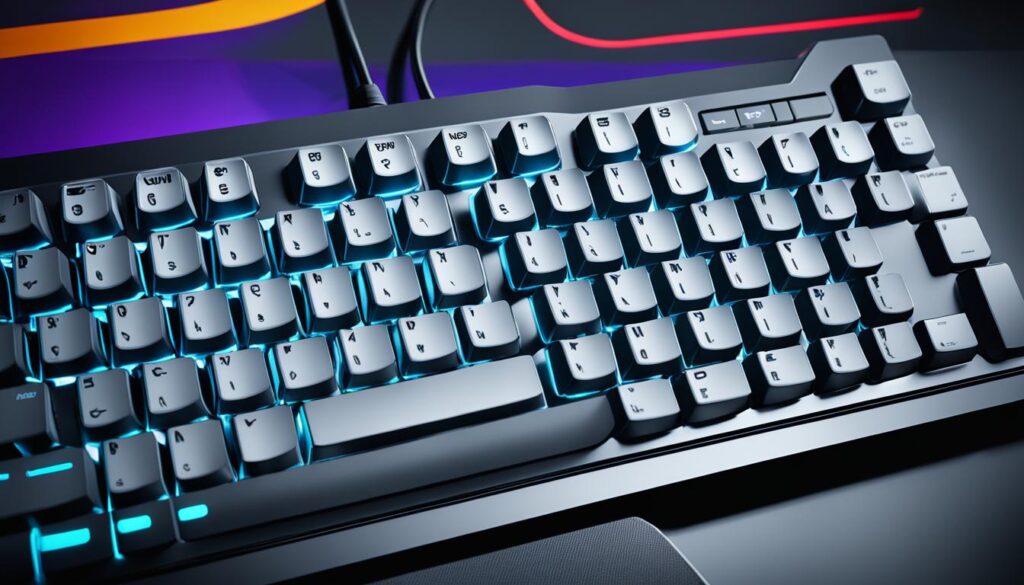
When playing Forza Horizon 5, think about getting an analog keyboard. It can improve your driving skills and give you more control. With the right tools, you can take your gaming to the next level and beat the competition.
Practicing and Improving with Keyboard Controls
To master Forza Horizon 5 keyboard controls, you need to practice a lot and keep getting better. You should work on your skills by doing time trials often and focus on driving consistently.
Time Trial Techniques and Consistency
Time trials are great for improving your keyboard skills in Forza Horizon 5. By racing the same track over and over, you’ll get better at handling corners and keeping your speed up. To go faster, work on smooth starts, precise stops, and using your gears well.
Being consistent is important when racing with a keyboard. Try not to make sudden moves that could make you lose control. Instead, keep a steady pace with your steering and brakes. This will help you do well in Forza Horizon 5’s races.
- Practice time trial runs on different tracks to understand the game’s physics better.
- Keep your driving smooth and controlled, avoiding sudden moves that could upset the car.
- Try out different gear shifts and throttle techniques to see what works best for each track and car.
- Look at your lap times and driving data to see where you can get better, then work on those areas.
By practicing regularly and looking at your racing, you’ll get better at using a keyboard in Forza Horizon 5. This will help you compete at the top level.
“Consistency is the key to success in any racing game, and that’s especially true when using a keyboard. Smooth, precise inputs are essential for maintaining control and extracting the maximum performance from your vehicle.”
| Technique | Benefit |
|---|---|
| Smooth Acceleration | Prevents loss of traction and maintains momentum through corners |
| Precise Braking | Allows for accurate control and shorter braking distances |
| Efficient Gear Management | Keeps the engine in the optimal power band for better acceleration and speed |
With regular practice and a focus on technique, you can beat the challenges of racing with a keyboard. This will make you a strong competitor in Forza Horizon 5.
Conclusion
Mastering Forza Horizon 5 keyboard controls is both a challenge and an opportunity for PC players. You’ll need to understand the digital input limits. Also, learn how to handle swerving AI cars and use the 15 different keyboard controls to find your best setup. This way, you can become a top-notch racer on the keyboard.
Forza Horizon 5 is set to release on Nov. 9, offering 4K resolution, 60 FPS, and ray-tracing support. It also has customization options and system requirements for different PC setups. With the right setup and practice, you can play the game well using keyboard controls. This gives you a great driving experience and lets you set competitive lap times.
Whether you like the precision of a wheel, the ease of a controller, or the challenge of a keyboard, Forza Horizon 5 can be customized for you. By using the techniques from this guide, you’ll get better at racing. You’ll be able to overcome the challenges of keyboard controls and make your mark on the Forza Horizon 5 leaderboards.
FAQ
What are the key benefits of using keyboard controls in Forza Horizon 5?
How do I overcome the limitations of binary input from a keyboard?
How can I customize the keyboard controls in Forza Horizon 5 to suit my preferences?
What are the key techniques for achieving precise steering control on a keyboard in Forza Horizon 5?
How can I effectively drift using keyboard controls in Forza Horizon 5?
How do keyboard controls compare to other input methods like controllers and racing wheels in Forza Horizon 5?
What are the benefits of using analog keyboard solutions in Forza Horizon 5?
How can I effectively practice and improve my keyboard skills in Forza Horizon 5?
Source Links
- https://forums.forza.net/t/as-a-keyboard-player-tuner/538891
- https://forums.forza.net/t/custom-controller-buttons-and-keybindings/534786?page=2
- https://www.polygon.com/guides/22765718/forza-horizon-5-beginners-tips-tricks-getting-started-settings-difficulty-custom-race-paint-upgrade
- https://forums.forza.net/t/serious-issues-with-game-play/624671?page=4
- https://gamerant.com/forza-horizon-5-launch-control-guide/
- https://solox.gg/forza-horizon-5-keyboard-controls/
- https://forums.forza.net/t/wheel-menus-show-keyboard-buttons-when-wheel-is-connected-1605163/633121
- https://forums.forza.net/t/the-ability-to-overdrive-a-car-keyboard-joypad-vs-wheel/587525
- https://forums.forza.net/t/controller-settings-for-steering-sensitivity-and-linearity/649211
- https://orbispatches.com/gaming-faq/is-forza-better-with-controller-or-steering-wheel
- https://forums.forza.net/t/serious-issues-with-game-play/624671
- https://www.thegamer.com/forza-horizon-5-drift-zone-unlock-guide/
- https://forums.forza.net/t/on-pc-keyboard-car-tires-wont-turn-more-than-30-degrees/99369
- https://www.gloriousgaming.com/blogs/guides-resources?srsltid=AfmBOop5q4e8okeu8rQR-6TnxZ4_CczOh1NYqWXRXVwbQYW56R3uLkMk
- https://www.rockpapershotgun.com/forza-horizon-5-pc-performance-best-settings
- https://community.granitedevices.com/t/forza-and-simucube-2/3948?page=7
- https://support.mozaracing.com/en/support/solutions/articles/70000625636-forza-horizon-4-5-ffb-configuration
- https://forums.forza.net/t/game-keeps-switching-between-controller-and-mouse-and-keyboard-rapidly/77700
- https://www.theverge.com/22796553/wooting-two-he-review-analog-mechanical-keyboard-lekker-switches-hall-effect
- https://www.razer.com/technology/razer-analog-optical-switch
- https://forums.forza.net/t/what-are-the-optimal-controller-settings-for-rwd/553702
- https://www.pcmag.com/news/can-your-pc-run-forza-horizon-5