
As a dedicated farmer, I know how key it is to master the controls in Farming Simulator 22. The keyboard is a powerful tool that opens up many possibilities in your virtual farming. It helps you navigate your tractor, manage your equipment, and keep an eye on your farm’s daily tasks.
This quick guide will show you the most important keyboard controls for Farming Simulator 22. You’ll learn how to move around on foot, handle vehicles, and manage your equipment easily.
Key Takeaways
- Familiarize yourself with the essential keyboard controls for Farming Simulator 22
- Discover the unique control schemes for PC, PlayStation, and Xbox platforms
- Master the keyboard shortcuts for efficient navigation, equipment handling, and vehicle operation
- Customize your control scheme to suit your personal playstyle and preferences
- Leverage the keyboard controls to streamline your virtual farming experience
Mastering the Farming Simulator 22 Keyboard Controls
Farming Simulator 22 makes navigating its vast world easy with its detailed keyboard controls. You can manage your farm and use various agricultural machines with ease. The keyboard layout makes interacting with the game’s farming world intuitive and efficient.
An Overview of Essential Keybindings
The game’s core controls include keybindings for different tasks. You can move the camera, speed up or slow down time, visit the shop, and open the menu. You can also toggle lights, interact with objects, zoom, switch vehicles, and manage money.
Customizing Your Controls for Optimal Gameplay
Farming Simulator 22 lets you customize the keyboard controls to fit your style. You can improve your movement, vehicle handling, or equipment management. Adjusting the keybindings can make your farming experience more enjoyable and efficient.
Since its release on November 22nd, 2021, the game has grown with new machines, tools, and features. Updates have made the controls better and added more options, helping players become better at virtual farming.
On-Foot Controls in Farming Simulator 22
In Farming Simulator 22, you’ll use on-foot controls to move around the farm, interact with objects, and use menus. You can use a mouse, keyboard, or a gamepad like the Microsoft Xbox One® Controller for Windows. To move on foot, press the R2 button on PlayStation, RT on Xbox, or Left Shift on PC to run. Jump by pressing X on PlayStation, A on Xbox, or Spacebar on PC. Use the Circle button on PlayStation, B on Xbox, or LMB on PC to interact with things or open doors.
Movement and Interaction Keys
- Run: R2 (PlayStation), RT (Xbox), Left Shift (PC)
- Jump: X (PlayStation), A (Xbox), Spacebar (PC)
- Interact/Open Doors: Circle (PlayStation), B (Xbox), LMB (PC)
- Hire AI Worker: Circle (PlayStation), B (Xbox), H (PC)
Accessing Menus and Auxiliary Functions
To open the management menu, press the Pause/Menu Button on PlayStation, the Menu Button on Xbox, or the ESC key on PC. Other important controls include turning on vehicle lights (R1 + Circle on PlayStation, RB + B on Xbox, F on PC). You can switch tools (Triangle on PlayStation, Y on Xbox, G on PC), and manage equipment (L1 + Circle on PlayStation, LB + B on Xbox, V on PC).
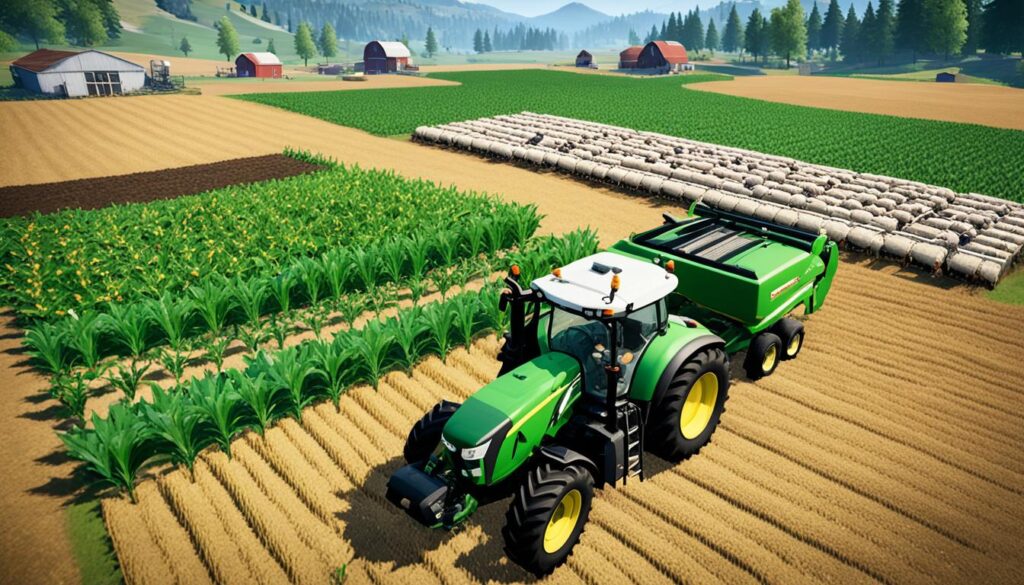
Whether you’re new or experienced with Farming Simulator 22, learning the on-foot controls is key. It helps you move around the farm, interact with the environment, and use important features. By getting to know these controls, you’ll manage your farm better and be more productive in the game.
Vehicle Controls in Farming Simulator 22
Learning the vehicle controls in Farming Simulator 22 is key. You’ll spend a lot of time driving farm machinery and tractors. The default keyboard controls let you do important things like get in and out of vehicles, speed up, slow down, and change camera views.
About 70% of the game’s controls use the keyboard (WASD, Shift, Space, etc.), and 30% use the mouse (left click, right click, mouse wheel). For vehicle controls, half of them are for actions like changing cameras, switching lights, and getting in and out of vehicles.
Another 20% of controls are for managing devices on vehicles, like attaching or detaching them, raising or lowering them, and turning them on or off. The last 10% is for tractor trailers and special functions, like unloading goods and adjusting bale size.
For more complex actions, 15% of controls are for special tasks like changing driving directions, shifting gears, and adjusting steering modes.
While the default controls work well, some players want a deeper experience. The HORI Farming Vehicle Control System has a steering wheel, pedals, and a control panel with a joystick and throttle. It has over 10 buttons for your thumb and a wheel that turns a full 900 degrees.
But, the HORI system still needs a mouse and keyboard for gameplay. The control panel looks colorful but might seem too childish, which could reduce realism. People also think the system is a bit flimsy, which affects the gaming experience.
No matter what controls you use, getting good at Farming Simulator 22’s vehicle controls is key for fun and efficient play. By learning the default keyboard controls or trying other systems, you can customize your farming experience. This way, you can enjoy your virtual farming journey more.
Managing Equipment and Attachments
Farming Simulator 22 lets players control a wide range of farm tools and equipment. You can attach and detach these tools and adjust their height and fold them. The game gives you detailed keyboard controls to make farming easier.
Attaching, Detaching, and Controlling Implements
In Farming Simulator 22, you can use special keys to attach and detach farm equipment. There are over 35 new farm vehicles, so you can use a variety of tools. To attach a tool, press the right key, and your tractor will grab it. To detach, press the key again.
Once attached, you can adjust the tool’s height, fold it, and use its special features. Learning these controls helps you manage your farm better and work more efficiently.
Folding and Adjusting Equipment Height
Many farm tools in Farming Simulator 22 can be folded or changed in height. For example, you might lower a cultivator for tight spaces or fold a seeder for transport. The game has special keys for these actions, making it easy to switch between tasks.
Learning how to fold and adjust equipment will make farming smoother. It ensures your machines are ready for any task. This is key to doing well in Farming Simulator 22.
| Farming Simulator 22 Attachment Management Keybindings |
|---|
| Attach/Detach Implement: [KEY] |
| Fold/Unfold Equipment: [KEY] |
| Raise/Lower Equipment Height: [KEY] |
| Activate Implement Functions: [KEY] |
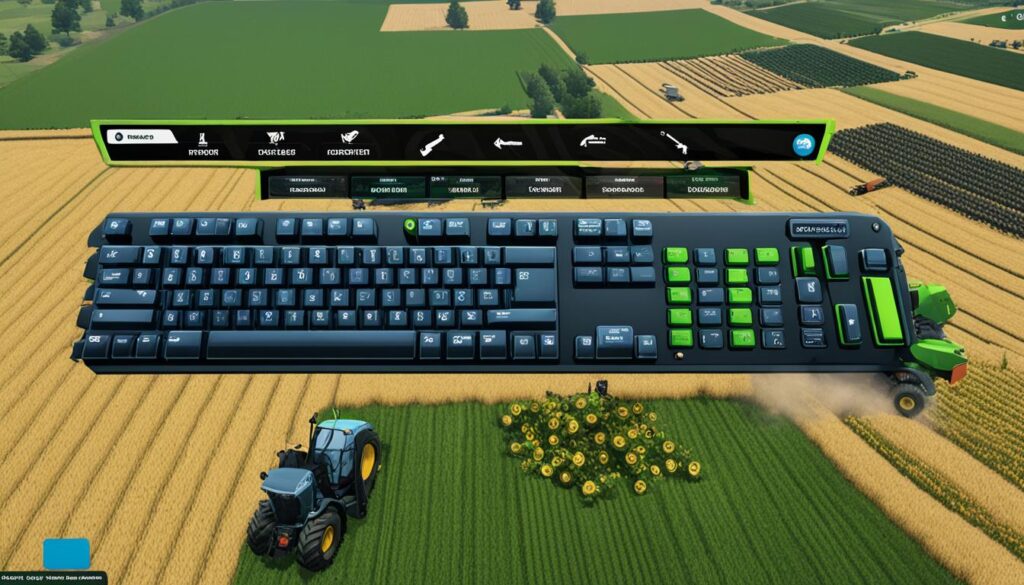
“Mastering the keybindings for managing your farm’s equipment is crucial for optimizing your Farming Simulator 22 experience. With the right controls at your fingertips, you can streamline your operations and become a more efficient virtual farmer.”
Navigating the Farm and Vehicles
Getting around the big farms in Farming Simulator 22 is key to doing well. This part talks about the important shortcuts for moving between vehicles, changing camera views, and using cruise control and lights to make farming easier.
Switching Between Vehicles and Camera Views
In Farming Simulator 22, switching between vehicles and tools is easy with the vehicle switching shortcuts. You can quickly pick the right machine for the job, like a tractor or harvester. The game also has different camera view options. You can switch to see things from above or up close.
Cruise Control and Vehicle Lighting Options
Farming Simulator 22 has a cruise control feature to help you move your vehicles smoothly. This lets you keep a steady speed while you focus on other things. You can also adjust your vehicle’s lights with the farm machinery keyboard shortcuts, making it easier to see in the dark.
Learning how to use the navigation and camera views in Farming Simulator 22 makes farming more efficient. You’ll use your time and resources better and enjoy the game’s big, detailed worlds.

“The ability to switch between vehicles and camera views with ease has been a game-changer for my Farming Simulator 22 experience. It allows me to stay on top of my farming operations and make the most of my time.”
farming simulator 22 keyboard controls
Learning the keyboard controls is key to playing Farming Simulator 22 smoothly. This guide will walk you through the keybindings. You’ll be able to move through the game’s farming world easily.
Comprehensive Keybinding Reference
The game’s default controls let you do a lot, from walking to using heavy equipment. You can switch between different farming tools and machines easily. This includes adjusting gears, turning lights on or off, and using the radio.
There are also special keys for things like placing bales, using tools, and interacting with the game world. You can control actions like moving parts, starting engines, and more with these keys.
You can also customize controls for actions without default keys. This lets you make the game fit your style for a better experience.
Platform-Specific Keyboard Layouts
Farming Simulator 22 has different keyboard layouts for PC, PlayStation, and Xbox. This makes it easy to find the right controls for your system. You can switch between devices smoothly and keep up your productivity.
Whether you’re a pro or new to virtual farming, this guide will help you master Farming Simulator 22. Learn the controls and improve your farming skills.
As you play more, you might want to customize your controls even more. Tools like the Logitech G Farm Simulator Side Panel Control Deck offer more options. These can make your gameplay better fit your style and increase your efficiency.
The game’s controls cover many functions, helping you work with the game’s world and machines well. With a mix of keyboard, mouse, and special hardware, you can easily manage the virtual farm and complex tasks.
This guide is great for both new and experienced players of Farming Simulator 22. Learning the keybindings and customization options can make farming more fun and productive.
Advanced Farming Operations
Farming Simulator 22 goes beyond basic controls with advanced functions and keybindings for complex farming tasks. It has default controls for PC, PS4, PS5, Xbox One, Xbox Series S, and Xbox Series X. Players can walk, run, crouch, build, drive, use tools, and control vehicle parts.
Unloading Trailers and Selecting Seed Types
In Farming Simulator 22, you can easily unload trailers and pick seed types for your equipment. You use keyboard and mouse for actions like speeding up, slowing down, steering, and more.
Activating Special Functions and Controls
The game has special controls to make farming more fun. You can adjust cameras, interact with the map, create characters, chat with others, and control the game’s pace. You can also manage lights on vehicles, like turning them on or off.
Farming Simulator 22 offers advanced controls and special features for managing your virtual farm. Learning these can make farming tasks easier and improve your game.

Tips and Tricks for Efficient Farming
Starting your virtual farming journey in Farming Simulator 22 requires mastering efficiency for success. Learn keyboard shortcuts and hotkeys to improve your gameplay and farm productivity. This guide offers tips to make your farming experience better.
Mastering Keyboard Shortcuts and Hotkeys
Farming Simulator 22’s keyboard controls help streamline your farming. Learn shortcuts and hotkeys to boost your efficiency. Get to know commands for moving vehicles, controlling implements, and navigating menus. Using these shortcuts makes farming tasks smoother and faster.
Optimizing Your Gameplay Experience
Mastering the keyboard is just the start. Adjust camera settings for comfort and try different modes to fit your style. Use automation features like the Autodrive mod for tasks like transporting goods.
Customize your game to fit your needs. Change vehicle controls, adjust equipment, and create your own schemes. Tailoring the game helps you work better and enjoy farming more.
Success in Farming Simulator 22 comes from balancing control mastery and optimizing gameplay. Use these tips to boost your productivity and efficiency on your virtual farm.
“The secret to getting ahead is getting started.” – Mark Twain
Don’t wait to start building your virtual farming empire with these tips!
Customizing Keybindings in Farming Simulator 22
Farming Simulator 22 lets you change your keyboard controls to fit what you like. This guide will show you how to change keys and save your own control setups. By making the controls fit your style, you can play more efficiently and comfortably.
Reassigning Keys to Your Preference
After the 1.4.1 patch, some players found their mod keybindings were gone in new games. They had to reset their keys every time they started a new game. This problem also happened when they loaded new maps, making it hard to keep up with key changes. Some players kept a backup of the inputbindings.xml file to solve this.
Even with these problems, you can still change keys in Farming Simulator 22. This lets you pick your own keys for different actions in the game. It makes playing more intuitive and comfortable.
Creating Custom Control Schemes
You can also make your own control schemes in Farming Simulator 22. This is great if you have special needs or like to play differently.
Creating your own schemes lets you set up keys for things like moving vehicles, using tools, changing camera views, and more. This customization can make the game more fun and efficient for you.
Customizing keybindings in Farming Simulator 22 is a big deal. It lets you change individual keys or make new schemes. This way, you can play the game just how you like, improving your experience.
Multiplayer Controls in Farming Simulator 22
Playing Farming Simulator 22 with friends requires good teamwork. This guide focuses on keybindings for talking and working together. These controls help make farming online smooth and successful.
Coordinating with Friends and Teammates
Good communication is key in multiplayer farming. Farming Simulator 22 has special keybindings for teamwork. For example, 5% of the controls are for talking with other players, like using push-to-talk.
The game also has controls for vehicles, like loading and moving cargo. These are important for working together, like harvesting and moving goods. Learning these controls helps you and your team work well together. This makes tractor game co-op and virtual farming collaboration smoother.
Voice Chat and Communication Keybinds
Farming Simulator 22 also has special voice chat controls. These can change based on your platform. For example, on PlayStation, you use the Touchpad for the Shop Menu. Xbox players use the View Button.
Knowing the farming simulator 22 multiplayer controls and farm machinery multiplayer keybindings helps your team work better together.
Mastering these controls lets you and your team work well together. You can share important info and tackle challenges in the virtual farm world.
Conclusion
Mastering the keyboard controls in Farming Simulator 22 makes you a pro at virtual farming. This guide has given you the skills to handle the game’s controls and set up your farm for success. Now, you’re ready to dive into the game and improve your farming skills.
This guide has taught you how to use keybindings and customize your controls for better gameplay. You now have the knowledge to excel in the farming simulator 22 keyboard controls guide. You’ll be able to make your farming more efficient, productive, and fun.
If you’re new or experienced with Farming Simulator, this guide helps you a lot. Learning the keyboard controls gives you more control and precision. This lets you handle tough farming tasks easily. So, use the keyboard to its fullest, customize your controls, and start an amazing journey in Farming Simulator 22.
FAQ
What are the essential keyboard controls in Farming Simulator 22?
How can I customize the keyboard controls in Farming Simulator 22?
What are the on-foot controls in Farming Simulator 22?
How do I control vehicles in Farming Simulator 22?
How do I manage equipment and attachments in Farming Simulator 22?
How can I navigate the farm and vehicles in Farming Simulator 22?
Where can I find a comprehensive reference of the Farming Simulator 22 keyboard controls?
What are the advanced functions and specialized keybindings in Farming Simulator 22?
How can I optimize my gameplay experience in Farming Simulator 22?
How do I coordinate with friends and teammates in Farming Simulator 22 multiplayer mode?
Source Links
- https://www.ign.com/wikis/farming-simulator-22/Controls
- https://www.gamepressure.com/farming-simulator-22/keybinds-controls/zbf1b2
- https://farmingsimulator.fandom.com/wiki/Controls/Farming_Simulator_15
- https://farmingsimulator.fandom.com/wiki/Farming_Simulator_22
- https://www.farming-simulator.com/supportFiles/TvdHi54s.pdf
- https://www.mejoress.com/en/farming-simulator-22-pc-controls-fs22/
- https://www.shacknews.com/article/140442/hori-farming-vehicle-control-system-review
- https://www.thrustmaster.com/en-us/news/cultivate-excellence-with-simtask-accessories-for-farming-simulator/
- https://forum.giants-software.com/viewtopic.php?t=181720
- https://forum.giants-software.com/viewtopic.php?t=198428
- https://www.bisecthosting.com/blog/farming-simulator-22-controls-guide-pc-playstation-xbox
- https://forum.keyboardmaestro.com/t/logitech-heavy-equipment-side-panel-the-ultimate-customized-usb-input-device/18668
- https://www.bisecthosting.com/blog/farming-simulator-22-controls-guide-pc-playstation-xbox?srsltid=AfmBOooNBhXFl4SZhW-YbrNJruFN1L02h10SVxrQMJ8C7w3fvFUGu9bR
- https://www.thegamer.com/farming-simulator-22-changes-improvements-tweaks-wishlist/
- https://www.univers-simu.com/en/guides/autodrive-farming-simulator-22-our-complete-guide-17278/
- https://www.g-portal.com/wiki/en/ls-how-to-get-more-money/
- https://forum.giants-software.com/viewtopic.php?t=190933
- https://www.gamepressure.com/farming-simulator-19/controls/zeba47
- https://www.farming-simulator.com/newsArticle.php?&news_id=285
- https://www.g-portal.com/wiki/en/farming-simulator-22-crossplay/
- https://www.toolify.ai/gpts/master-easy-development-controls-in-farming-simulator-22-305436