
When Blizzard announced Diablo Immortal for PC, I felt a rush of excitement. The idea of exploring Sanctuary with my mouse and keyboard was too tempting to ignore.
I’ve spent years improving my skills in Diablo games. Now, with Diablo Immortal on PC, I can enjoy the thrilling combat. This time, with the precision of a mouse and keyboard.
Key Takeaways
- Diablo Immortal’s PC version offers a mouse and keyboard control scheme for players seeking precise aiming and familiar controls.
- The mouse-and-keyboard setup provides superior navigation through menus, shopping, and other PC-centric tasks.
- Utilizing WASD keys for movement can provide a fluid and responsive experience, though some abilities may feel limited.
- Customizing key bindings and mastering efficient skill execution are crucial for dominating the game on PC.
- Comparing control methods and optimizing your gaming setup can help you find the perfect balance for your playstyle.
Introduction to Diablo Immortal on PC
The release of Diablo Immortal on PC is a big deal for fans of the series. It lets players explore the action-packed world of Sanctuary on their desktops. Moving from mobile to PC brings new ways to play and new strategies for fans. Now, players can use the precision of mouse and keyboard for a better experience.
Diablo Immortal’s PC version welcomes all types of players with support for different controls. It runs smoothly on both high-end and modest PCs, making it accessible to many. Players can switch between mouse and keyboard or controller easily, making the game more flexible and comfortable.
The PC version of Diablo Immortal offers a smooth and engaging play experience. It combines the classic Diablo gameplay with the ease of desktop controls. Players can jump into the game’s story and endgame activities like dungeons and Elder Rifts anytime, fitting into short gameplay sessions.
On PC, Diablo Immortal creates a lively MMO-style world. Players can easily join others and team up with friends or random players for fun cooperative play. The game has a mix of story and endgame content, offering something for everyone.
Diablo Immortal’s arrival on PC makes the game more accessible and brings a new view for both new and old fans. It combines the classic action-RPG gameplay with the precision of mouse and keyboard controls.
| Feature | Diablo Immortal PC | Diablo Immortal Mobile |
|---|---|---|
| Control Scheme | Mouse and Keyboard, Controller | Touch Screen |
| Performance | Works well on a variety of PCs, from mid-range to high-end. | Optimized for mobile, with UI tweaks to avoid slowdowns. |
| UI Customization | Has fewer customization options than the mobile version. | Offers lots of UI customization for a better experience. |
| Game Content | Focuses on classic Diablo gameplay with some familiar elements. | Mixes story progress with repeatable endgame tasks. |
| Monetization | Seen as having a tough monetization model with various currencies and bundles. | Monetization is similar to other mobile games, with in-app buys and optional microtransactions. |
The Benefits of Mouse and Keyboard Controls
Diablo Immortal’s PC version has big advantages over mobile controls, thanks to its precision and familiarity. Players can choose from PC, Android, and iOS platforms to enjoy the game.
Precision Aiming and Movement
Using a mouse to aim skills in Diablo Immortal can change the game, especially for classes needing skill shots or wide attacks. Veterans will find the WASD movement and hotkeys easy to use, making the switch to PC smooth.
Familiar Controls for Veteran Players
For PC fans of the Diablo series, the familiar controls are a big plus. You can customize your keyboard to fit your style, changing default keys as you like. Plus, you can use wired or Bluetooth for a comfy gaming setup.
While controllers are great for movement, the keyboard and mouse combo gives a competitive edge in Diablo Immortal. This combo is key for managing inventory and casting spells. The game supports many input methods, letting players customize their experience.
Mouse and keyboard controls in Diablo Immortal offer more than just precision and familiarity. They let players customize their gaming to fit their style, making the game better on different platforms.
diablo immortal mouse and keyboard
To dive deep into Diablo Immortal on your PC, you need the right mouse and keyboard setup. This guide will help you set up your controls and customize your key bindings for the best gaming experience.
Setting Up Mouse and Keyboard Controls
Diablo Immortal supports mouse and keyboard controls well, letting you move and fight with precision. Start by adjusting your mouse sensitivity to match your style, making quick and precise moves. Then, turn on the game’s keyboard support to use WASD for movement and hotkeys for abilities and commands.
Customizing Key Bindings
Playing Diablo Immortal on PC lets you customize controls to fit you. You can bind important actions to keys, making gameplay smooth and efficient. Try different key setups to find what works best for you and your gaming style.
Setting up your mouse, keyboard, and customizing key bindings right lets you use Diablo Immortal’s PC version fully. You’ll become a true diablo immortal keyboard controls expert.
| Issue Reported | Number of Users |
|---|---|
| Automatic switching from controller to mouse and keyboard input mode | 9 |
| Problems with Xbox controllers | 4 |
| Fixing issue by turning off GeForce Experience Overlay | 3 |
| Disabling or uninstalling GeForce Experience as a resolution | 2 |
| Ensuring Steam is closed to avoid conflicts | 2 |
Most players have had a good experience with mouse and keyboard in Diablo Immortal. But, some faced issues with input switching and compatibility. These issues often come from conflicts with software like the GeForce Experience Overlay or Steam’s input system. Luckily, turning off the GeForce Experience Overlay or closing Steam can fix these diablo immortal keybindings problems.
Mastering Movement and Positioning
Getting good at moving and placing yourself is key in Diablo Immortal. Using the WASD keys helps you move smoothly, dodge attacks, and set up for skills. This makes you better in both fighting other players and computer-controlled enemies.
Using WASD for Fluid Movement
The WASD keys make moving your character in Diablo Immortal easy and natural. They let you quickly move around and react to enemies. Being able to control where you stand can help you dodge attacks, set up for skills, and stay safe.
Getting the hang of WASD movement in Diablo Immortal takes time, but it’s worth it. With better control, you can change how you play to fit each situation, making you a stronger player.
Using the WASD keys gives you more control and mobility in Diablo Immortal, making you a powerful opponent. Learning this can help you beat your enemies and win in the dark world of Diablo Immortal.
Efficient Skill Execution
Mastering Diablo Immortal on PC means getting good at using the mouse and keyboard. A big part of this is using skills quickly and efficiently. The game’s hotkey system helps a lot with this.
Assigning important skills to easy-to-reach keyboard keys lets you act fast in fights. This is very important for classes like the Necromancer or Wizard. They need to use skills quickly and together.
Hotkey Management for Quick Reactions
Managing hotkeys well is key in Diablo Immortal. By setting up your skills on the keyboard, you can switch between them easily. This makes your gameplay smoother and helps prevent hand strain during long gaming sessions.
Try out different hotkey setups to see what works best for you and your character. Keep trying until you find the perfect setup for quick and accurate skill use.
As you get better at Diablo Immortal, you’ll find some skills are very important. Putting these key skills on easy-to-reach hotkeys means you can use them fast. This helps you win battles quickly.
Getting good at using Diablo Immortal’s keyboard hotkeys is key to being a top player. With practice, you’ll see how the mouse and keyboard give you great control. This lets you beat your enemies and climb the leaderboards.
Controller Support for Diablo Immortal
Diablo Immortal on PC supports both mouse and keyboard and various controllers for a traditional feel. It works with Xbox One, PlayStation DualShock, Nintendo Switch Pro, and more. This lets players pick the control method that fits their style best.
Compatible Controllers for PC
Diablo Immortal on PC supports many controllers. You can use wired USB controllers or wireless ones via Bluetooth. The game will recognize them through Windows settings. Here are some supported controllers:
- Xbox One Wireless Controller
- Logitech Gamepad F510
- Logitech Gamepad F710
- Sony DualShock 3
- Sony DualShock 4
- Sony DualSense Controller (PS5)
- Nintendo Switch Joycons
- Nintendo Switch Pro Controller
- Xbox Adaptive Controller
- Xbox Elite Controller
- Xbox One Wireless Bluetooth Controller
Diablo Immortal on PC offers many controller options. Whether you like mouse and keyboard or a gamepad, there’s something for everyone.
“Diablo Immortal’s controller support is a game-changer for players who prefer a more traditional input method. The variety of compatible options ensures that everyone can find a control scheme that feels natural and comfortable.”
Controller support isn’t just for PC. It’s also available on Android and iOS. Just pair the controller with your device via Bluetooth. This makes playing Diablo Immortal smooth and comfortable on any device.
Overcoming Mouse and Keyboard Challenges
Diablo Immortal’s mouse and keyboard controls have many benefits, but some players face issues with input lag or feel the controls are slow. Fixing these problems with updates or patches will be key for a smooth gaming experience.
Addressing Input Lag and Control Clunkiness
PC players often mention the issue of input lag or slow controls. This makes moving around and using important skills hard, which can ruin the game. To fix this, players might need to update their drivers, tweak game settings, or check for app conflicts.
The Diablo Immortal team might also improve control speed with updates. Talking with the community and using their feedback can help the team fix any control issues.
By solving these problems, players can dive deep into Diablo Immortal’s world. They can move and fight with the speed and accuracy they want from a PC game.

Comparing Control Methods
When you start playing Diablo Immortal, you might wonder which control method is best. Choosing between a mouse and keyboard or a gamepad can change how you play.
Using a mouse and keyboard gives you amazing precision. You can aim and move quickly and accurately. This is great for players who love Diablo and know the controls well. But, using a controller makes the game feel more immersive and is perfect for playing from the couch.
| Control Method | Advantages | Disadvantages |
|---|---|---|
| Mouse and Keyboard |
- Precise aiming and targeting
- Familiar controls for Diablo veterans
- Easier to manage multiple abilities and hotkeys
- May feel less immersive for some players
- Potential for input lag or clunkiness
| Controller |
- Comfortable and intuitive for console gamers
- Enhanced sense of immersion
- Suitable for couch-based gaming setups
- Less precision for aiming and targeting
- Potential challenges with managing abilities and hotkeys
Choosing between mouse and keyboard or a controller depends on what you like and how you play. Diablo Immortal lets you pick the control method that feels best for you.
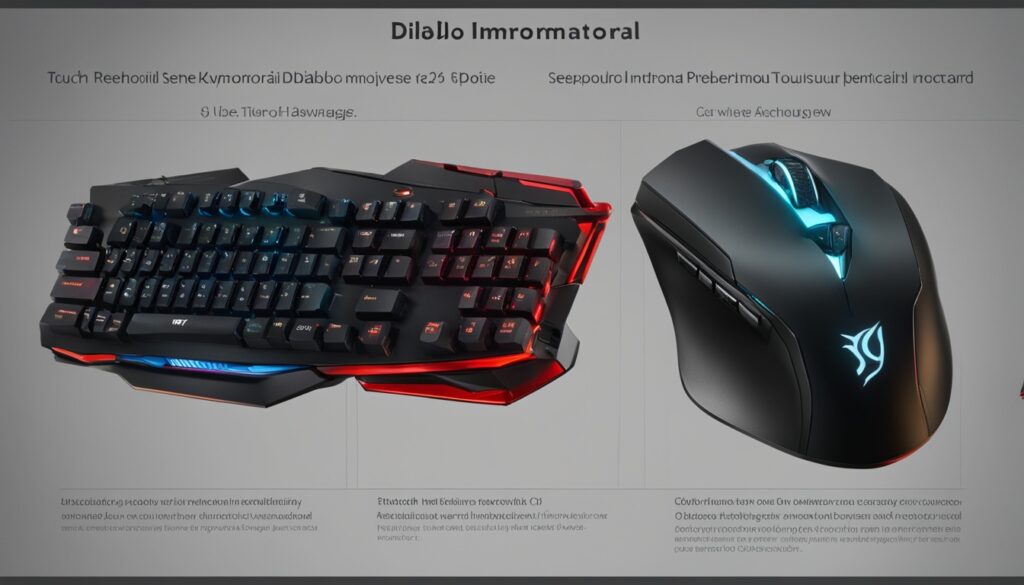
If you like the exact aim of a mouse or the immersive feel of a controller, Diablo Immortal has you covered. Try out different setups to find the one that lets you defeat demons with skill and style.
Optimizing Your Gaming Setup
To get the most out of Diablo Immortal on your PC, make sure your setup is top-notch. This means picking the right diablo immortal mouse and keyboard hardware for precision and speed. Also, make sure your computer meets the diablo immortal pc setup specs. Plus, using diablo immortal ergonomic setup ideas can reduce discomfort and keep you playing longer without getting tired.
Hardware Recommendations
For diablo immortal mouse and keyboard hardware, go for the best you can find. Look for a mouse and keyboard with precise tracking, customizable buttons, and an ergonomic design. Since you’ll be using the mouse and skill buttons a lot, a responsive mouse is key. Also, make sure your computer can handle the game’s demands for a smooth experience.
Ergonomic Considerations
Good ergonomics is key for your diablo immortal pc setup and can make a big difference in comfort and performance. Get a supportive gaming chair, a desk that adjusts in height, and a monitor at eye level to ease neck and back strain. If you’re playing on a mobile device, set the graphics and resolution to Medium for a smooth game. Adding these ergonomic tips to your diablo immortal ergonomic setup will help you stay comfortable and focused during long gaming sessions.
By focusing on your hardware, computer specs, and workspace setup, you can make your Diablo Immortal experience on PC both immersive and comfy. Remember, aim for both great performance and good ergonomics to play your best, even during long gaming sessions.
Conclusion
Diablo Immortal’s PC version has brought new ways for players to dive into the Diablo world. With mouse and keyboard, players get more control and precision. By customizing the game and setting up their gaming space, players can improve their Diablo Immortal experience.
Players can choose between mouse and keyboard or a controller to play Diablo Immortal on PC. This gives them many ways to make the game their own and conquer the world of Sanctuary.
The diablo immortal mouse and keyboard conclusion shows this control method gives players an edge. It lets them fully use the game’s features and strategies. The diablo immortal pc controls summary also highlights the PC version’s versatility and better visuals and controls.
As Diablo Immortal grows, so will its PC version and mouse and keyboard controls. This will make the game even better for players. Using the PC and mouse and keyboard can make your Diablo Immortal experience more exciting and successful.
FAQ
Can I play Diablo Immortal on PC using a mouse and keyboard?
What are the benefits of using a mouse and keyboard in Diablo Immortal on PC?
How do I set up the mouse and keyboard controls in Diablo Immortal?
Can I use a controller with Diablo Immortal on PC?
Are there any challenges or issues with using a mouse and keyboard in Diablo Immortal on PC?
How can I optimize my gaming setup for the best Diablo Immortal experience on PC?
Source Links
- https://us.forums.blizzard.com/en/d3/t/diablo-immortal-mousekeyboard-controls/51733
- https://blizzardwatch.com/2022/06/06/diablo-immortal-mobile-vs-pc/
- https://www.ign.com/articles/diablo-immortal-review
- https://www.esportsheaven.com/features/diablo-immortal-a-fair-evaluation/
- https://www.androidauthority.com/diablo-immortal-on-pc-3180842/
- https://gamerant.com/diablo-4-should-you-use-a-controller-or-keyboard/
- https://gamerant.com/diablo-4-how-to-change-controls-bind-custom-keys-configure-bindings-keybinding-customization-guide-d4/
- https://forums.d2jsp.org/topic.php?t=94945800&f=153&o=10
- https://us.forums.blizzard.com/en/d4/t/after-every-input-with-a-controller-game-reverts-to-keyboard/17069
- https://us.forums.blizzard.com/en/d4/t/94-key-points-feedback-3-weeks-after-launch/60455
- https://us.forums.blizzard.com/en/d4/t/if-you-dont-want-wasd-you-are-stupid-asmongold/7664?page=41
- https://diablo.fandom.com/wiki/Diablo_(Game)
- https://www.denofgeek.com/games/diablo-immortal-control-options-supported-controllers-mouse-keyboard/
- https://screenrant.com/diablo-immortal-how-to-use-controller-guide/
- https://www.techradar.com/how-to/diablo-immortal-controller-support-how-to-use-your-gamepad-on-mobile-and-pc
- https://www.tumblr.com/askagamedev/179932406051/on-the-whole-diablo-immortal-thing-what-reason
- https://us.forums.blizzard.com/en/d4/t/its-2023-and-games-should-have-wasd-movement-for-accessibility-reasons-as-well-as-the-prevention-of-carpal-tunnel/65444
- https://en.wikipedia.org/wiki/Diablo_Immortal
- https://www.ign.com/articles/diablo-immortal-controller-support-impressions-closed-beta
- https://us.forums.blizzard.com/en/d3/t/diablo-mobile-vs-pc/49432?page=2
- https://www.icy-veins.com/forums/topic/40564-deadsets-impressions-and-interview-on-diablo-immortal/
- https://game8.co/games/Diablo-Immortal/archives/376937
- https://www.destructoid.com/reviews/review-diablo-immortal/
- https://www.wowhead.com/diablo-immortal/news/pc-beta-in-diablo-immortal-a-first-look-327262